Installing UHF and VHF Radios in the L663 Defender: Cabling, Power, and Mounts
A comprehensive technical guide to integrating two-way radios into the L663 Defender. Learn safe firewall routing, non-destructive cabin mounting, and correct electrical integration without triggering BMS faults.
The L663 Structural Challenge: Avoid Drilling the Magnesium Beam
Unlike the utilitarian design of classic off-roaders, the L663 Land Rover Defender features a highly integrated interior built around an exposed, structural cast-magnesium alloy cross-car beam. This powder-coated beam provides structural rigidity to the dashboard and steering column assembly. When mounting communication equipment like UHF or VHF radios, DIY installers must resist the temptation to drill self-tapping screws directly into this magnesium beam. Drilling not only compromises structural integrity, but it also creates highly flammable magnesium shavings and initiates galvanic corrosion where steel fasteners contact the magnesium alloy.
Furthermore, the L663 is packed with occupant-safety systems. Deployable curtain airbags reside in the A-pillars, and passenger-side knee airbags are positioned directly below the lower glove box assembly. Any bracketry or mounting hardware must be designed to avoid these deployment zones entirely. Additionally, for vehicles equipped with the Active Bonnet system (designed for pedestrian impact protection), routing coaxial cables near the rear corners of the bonnet hinges requires extreme caution to ensure cables do not interfere with the pyrotechnic actuators or their pressure-sensor lines.
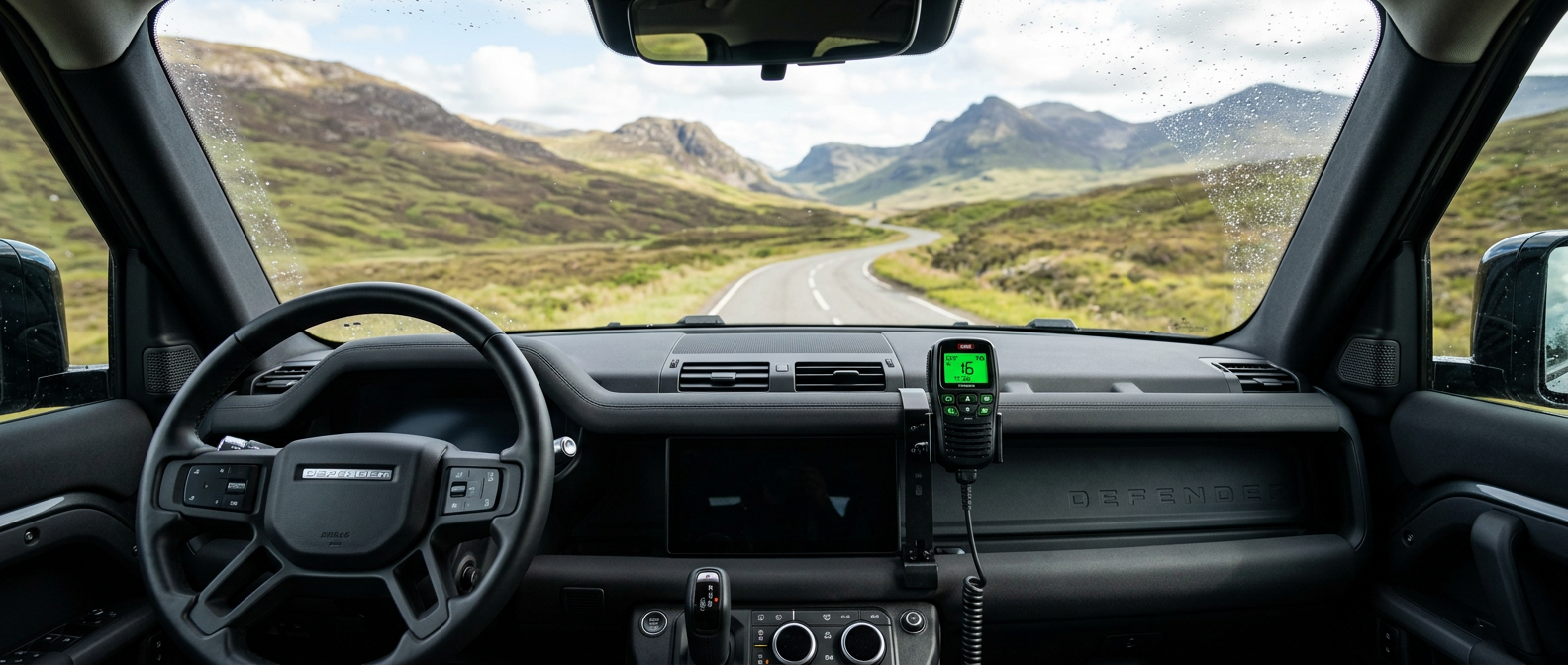
To safely install a two-way radio, you must utilize non-destructive mounting solutions that clamp to existing structures or use factory-provided mounting holes. Modern remote-microphone radios, such as the GME XRS-370C or Uniden UH9060, are the preferred choice for this platform. These systems allow the bulky main RF unit (the transceiver deck) to be hidden deep within the dashboard or under-seat cavities, leaving only the handpiece controller exposed in the cabin.
Locating and Penetrating the Firewall Grommet
Routing the coaxial cable from the engine bay or roof rack into the L663 cabin requires passing through a sealed firewall. The most reliable pathway is through the main wiring harness rubber grommet located on the passenger-side bulkhead (left side on RHD vehicles, right side on LHD vehicles). Accessing this grommet from the engine bay requires removing the plastic scuttle trim panels, the engine-bay side covers, and the cabin air filter intake box. Use a trim removal tool to pop the plastic clips on the scuttle panel, taking care not to crack the plastic cowl at the base of the windscreen.
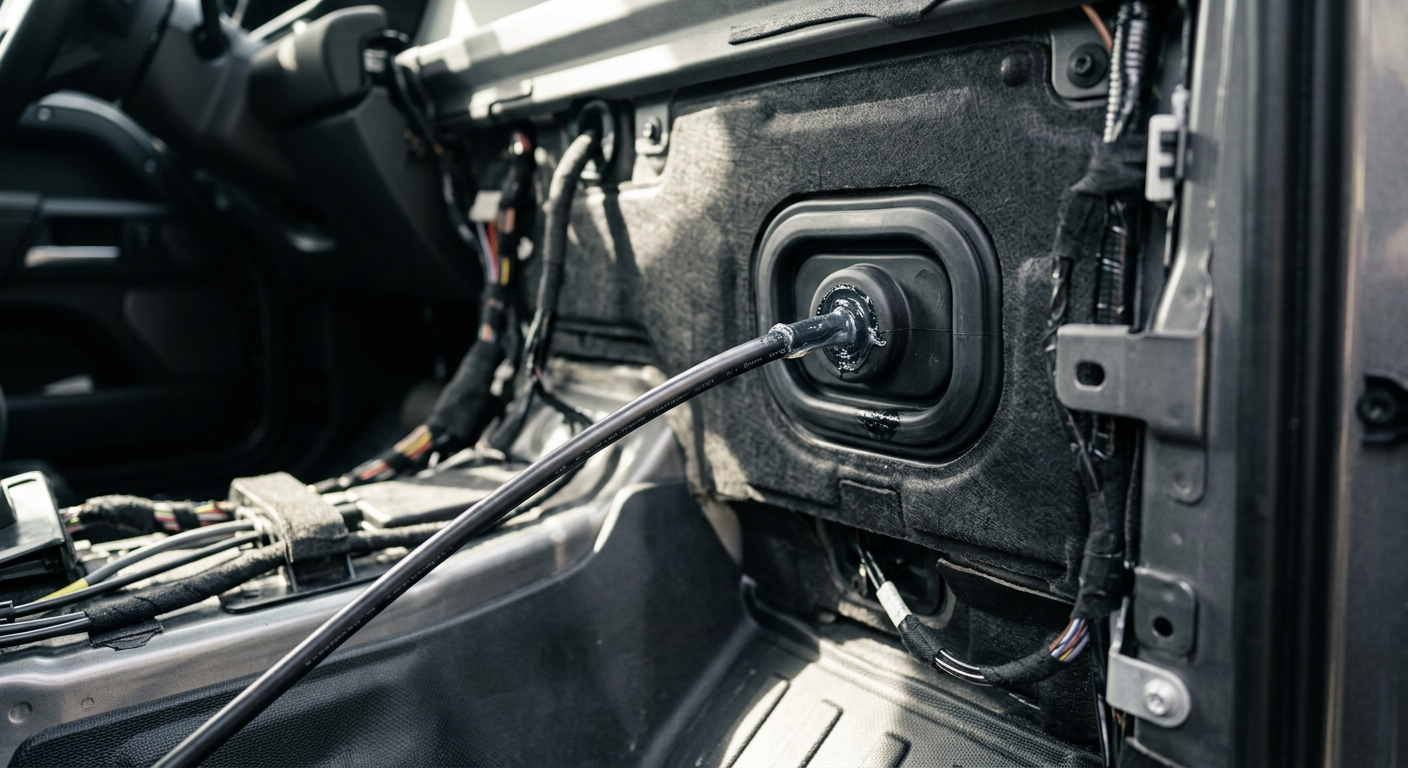
Once the cabin filter housing is removed, you will see a large black rubber boot where the main vehicle wiring loom penetrates the passenger-footwell bulkhead. This boot features several molded, unpopulated nipples designed for auxiliary wiring. Do not cut into the main wiring bundle's wrapping. Instead, locate one of these unused nipples and slice the sealed end off with a sharp utility knife, creating an opening slightly smaller than the outer diameter of your coaxial cable (typically RG58 or RG316) to maintain an airtight and watertight seal.
To pass the cable through, apply a silicone-based wire-pulling lubricant to the cable jacket. Insert a flexible nylon draw wire (fish tape) from the cabin footwell outward into the engine bay, tape the coaxial cable securely to the draw wire, and gently pull it back through the grommet into the footwell. Avoid pulling hard enough to deform the main rubber boot, as an unseated firewall grommet will allow water and engine fumes to enter the footwell during deep water crossings or wet highway driving.
Antenna Mounting and Coaxial Routing Paths
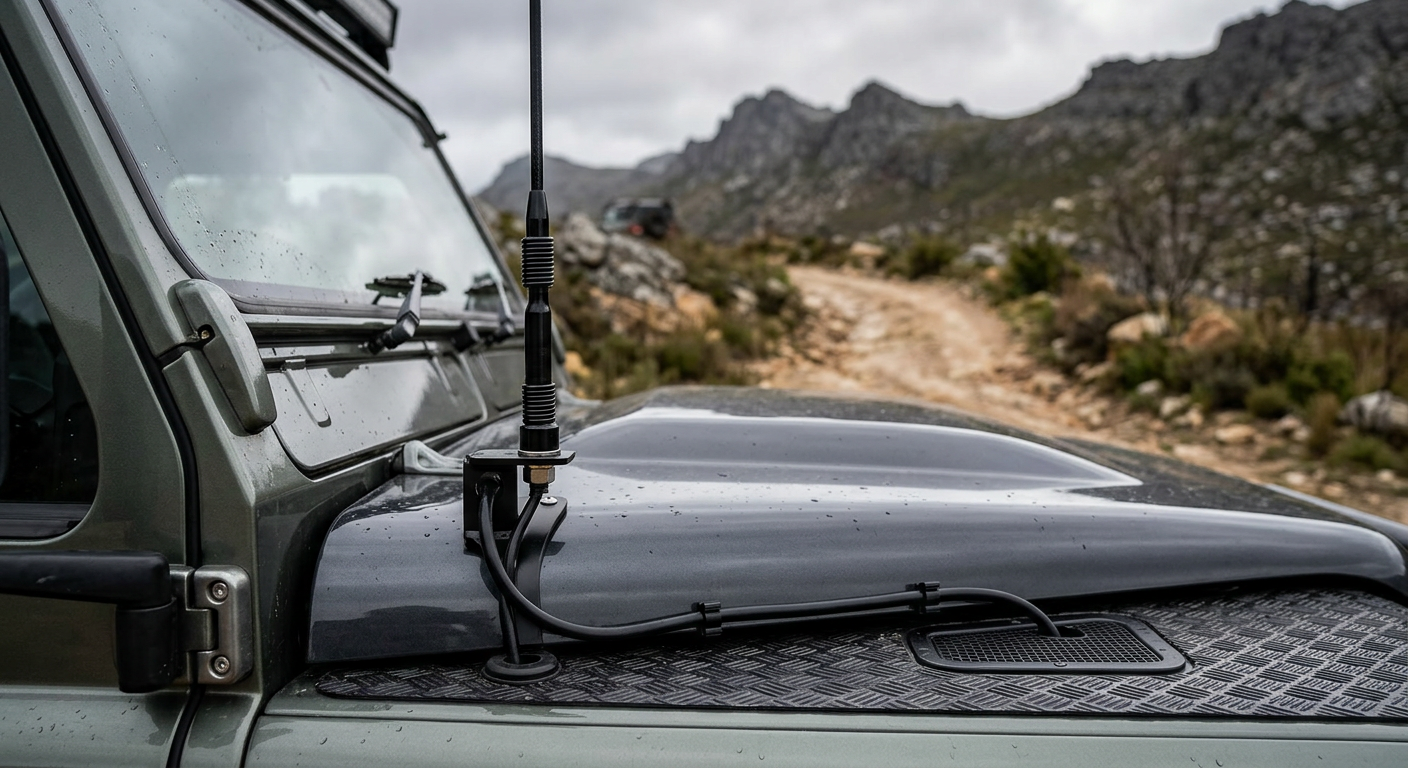
There are two primary locations for mounting a comms antenna on the L663: a bonnet hinge bracket or a roof rack mount. If using a bonnet bracket, select a stainless steel bracket specifically engineered for the L663 that bolts directly to the factory hinge mounts. These brackets use the existing hinge studs, which means you must support the bonnet when loosening the nuts to prevent alignment shifts. Route the coax cable along the inside of the bonnet wing channel, securing it with adhesive zip-tie mounts. Ensure you leave a service loop (slack) at the hinge pivot point so the cable does not pinch or stretch when the bonnet is opened to its vertical service position.
For roof rack mounting, the coaxial cable must run from the rack down to the engine bay or directly into the cabin. The cleanest method is to run the cable down the windscreen A-pillar. To do this safely, you must pop off the exterior plastic A-pillar trim panel. Be prepared to replace the plastic mounting clips (part number LR123986), as they are single-use and almost always break during removal. Once the trim is removed, lay the cable in the recess alongside the factory windscreen drain channel, securing it with butyl tape or zip ties.
Crucially, if you route the cable inside the cabin down the interior A-pillar trim, you must run the wire *behind* the side curtain airbag canister. Never drape or wrap a cable across the front of an airbag. If the airbag deploys, any wire running over its face will either prevent the airbag from inflating correctly or snap, potentially turning the cable and handpiece into dangerous high-speed projectiles.
Safe Electrical Integration: Tapping the Fuse Box and Avoiding BMS Faults
The L663 Defender relies on the Jaguar Land Rover EVA 2.0 electrical architecture, which is highly sensitive to voltage drops and parasitic draws. The vehicle is equipped with a Battery Monitoring System (BMS) sensor clamp on the negative battery terminal. If you connect the negative ground wire of your radio directly to the negative battery post, you bypass this sensor. The BMS will fail to calculate the correct state of charge, leading to charging system faults, premature battery degradation, or the vehicle shedding non-essential electrical loads unnecessarily.
Always connect the negative ground wire of the radio to one of the dedicated, factory-welded grounding studs located on the inner steel panels of the passenger footwell or behind the kick panels. Do not use structural aluminum panels for grounding, as steel fasteners in contact with aluminum will trigger galvanic corrosion, leading to high-resistance ground loops and severe radio frequency (RF) interference.
For the positive feed, you can source clean 12V power from the passenger-footwell fuse box. Use a high-quality Micro2 'Add-a-Circuit' fuse tap. Identify a slot that matches your desired operation: use an ignition-switched fuse slot (such as the 12V accessory sockets) if you want the radio to turn off with the vehicle, or a permanent 12V slot if you require communication when the engine is off. Ensure you install a dedicated inline fuse (typically 3A to 5A depending on the transceiver's output power) on the radio's positive wire to protect the circuitry from overcurrent.
Squeezing Out the Noise: RF Interference and Ground Planes
The L663's extensive array of onboard computers, mild-hybrid (MHEV) 48V systems, and high-frequency radar modules can generate significant electromagnetic interference (EMI). This often manifests as a high-pitched whine or static over the radio receiver, particularly under acceleration. To minimize this, use double-shielded RG58 coaxial cable (such as LL195) and ensure your power cables are twisted to cancel out electromagnetic fields. Keep RF cabling as far away from factory ECU looms and high-voltage hybrid cables as possible.
Another critical consideration is the antenna's ground plane. Traditional antennas rely on a large, flat steel roof sheet to act as a ground plane, reflecting the signal and creating an optimal radiation pattern. Because the L663 features an aluminum skin and often an panoramic glass roof, the ground plane characteristics are highly compromised. An antenna mounted on a small bonnet bracket will have an asymmetrical radiation pattern, transmitting more energy to the rear of the vehicle than the front.
To overcome this, it is highly recommended to use a 'ground-independent' or 'ground-plane-independent' antenna (such as a 1/2 wave collinear design). These antennas are pre-tuned and do not rely on the vehicle's metal body panels to function efficiently. If you are mounting a standard 1/4 wave antenna, you must ensure that the mounting bracket has a metal-to-metal connection to the chassis via a ground strap, bypassing any paint or powder-coating on the bracket and hinge.
Cabin Placement and Final Calibration
Once the wiring and cabling are routed, mount the main transceiver deck inside the cabin. A highly practical mounting location is behind the lower passenger-side kick panel, or inside the center console cavity underneath the cupholders. Secure the transceiver deck using heavy-duty hook-and-loop tape or by fabricating a light aluminum bracket that attaches to existing dashboard mounting screws. Ensure the unit has adequate ventilation; while modern UHF decks do not generate extreme heat under normal use, prolonged high-power transmissions can cause them to throttle down if they are sealed in airtight compartments.
For the handpiece microphone, use a non-destructive mounting bracket that clips into the dashboard seams or mounts to the passenger grab handle hex screws. Avoid gluing mounts to the soft-touch dashboard vinyl, as the adhesive will fail in high summer temperatures and damage the interior finish upon removal. Connect the handpiece to the main unit using an RJ45 pass-through extension socket flush-mounted into an unused blank switch panel in the lower center console.
Before transmitting for the first time, perform a Standing Wave Ratio (SWR) test using an inline SWR meter connected between the radio and the antenna cable. A reading below 1.5:1 is optimal, indicating that most of the transmitter's energy is being radiated. A reading above 2.0:1 indicates a fault—such as a pinched cable, a shorted connector, or a poor ground plane connection. Operating a radio with a high SWR can permanently damage the transmitter's output transistors and significantly reduce your communication range.